GIF Keyboard: What’s a Gif
OSmart AppsComics
4.122.00 Reviews
- Version
- 3.0.2
- Installs
- 500.00K
- Age Rating
- Teen
Screenshots


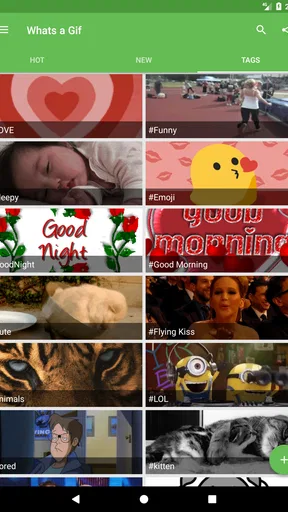
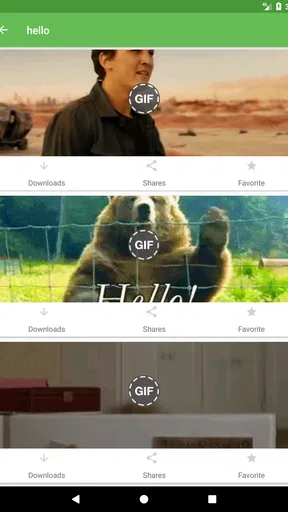
Our Review of GIF Keyboard: What’s a Gif
 Analysis by Appyee
GIF Keyboard: What’s a Gif is a free comics app from OSmart Apps that focuses on one practical idea: finding a GIF quickly and using it while you are already writing. I approached it less like a library to browse for hours and more like a shortcut for adding a visual reaction to a message. That distinction matters, because its value depends on whether you want instant expression or a carefully organized media collection.
In my experience, the strongest part of the app is the combination of a GIF keyboard and search tool. Instead of leaving a conversation, opening a separate website, copying an image, and returning to the chat, I can look for a reaction from the keyboard itself. That small reduction in effort changes how often I actually use GIFs. A funny response becomes something I can send in the moment rather than something I postpone because finding it feels inconvenient.
The central benefit is speed at the point of conversation. The app is rated 4.1 on average from around 3.5 thousand ratings, and its audience has grown beyond 500 thousand installs. Those figures do not make it perfect, but they do fit my impression of a focused utility that people keep around for quick visual replies. It is aimed at Teen users, and the app is free to install, with optional in-app items priced at $0.99 each.
Finding the right GIF without leaving the chat
I start this section with the practical question that shapes the whole experience: can I find a suitable reaction while the conversation is still moving? The answer depends partly on the connection, since searching for GIFs is a different task from selecting an emoji already on the keyboard. I’ll look at how that distinction affects the app’s usefulness in real chats and why a clear search phrase can matter more than browsing widely.
Search is more useful than endless scrolling
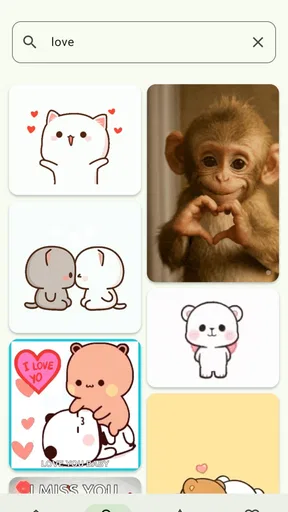
The difference between a pleasant GIF keyboard and an irritating one usually comes down to discovery. A large collection is not helpful if I have to swipe through unrelated clips to locate the right mood. Here, the search-first approach is the feature I notice most. I can start with an idea such as celebration, disbelief, awkwardness, or laughter and narrow the result instead of relying entirely on memory.
This is especially useful when the feeling is specific but the name of the GIF is not. I may know that I want a dramatic reaction, a playful refusal, or something that says “I knew it,” without knowing which character or scene would communicate it best. Searching by mood or situation gives me a practical route into the collection. I still need to choose among the results, but the app gets me closer faster than manually browsing a general image site.
The keyboard format also changes the workflow. I do not have to treat the GIF as a separate file that needs to be managed before sending. I can search, preview the available result, and use it as part of the message-writing process. That makes the tool feel closer to an emoji panel than a traditional download app, even though saving and sharing are part of its appeal too.
What the keyboard changes in everyday messaging
When I am replying to a friend, the best GIF is often the one I can find in a few seconds. A text response such as “that is unbelievable” can sound flat, while a well-chosen reaction communicates the same idea with more personality. The keyboard lowers the barrier between thinking of a reaction and sending it. I use it most when the conversation is informal and timing matters more than polished presentation.
There is also a useful difference between sending a GIF and downloading one first. If I am preparing a post, I may want to save a file and inspect it later. If I am in a fast-moving chat, saving is unnecessary friction. The app supports both habits, but I find the keyboard more valuable because it keeps the action attached to the conversation where the reaction is needed.
One practical tip is to search by the emotion you want to convey rather than by a broad topic. A search for a general subject can produce too many loosely related results, while a phrase describing the reaction tends to be more useful for messaging. I also recommend checking the preview before sending, especially when a result contains text or a joke that could be interpreted differently from what you intended.
Sharing and saving serve different purposes
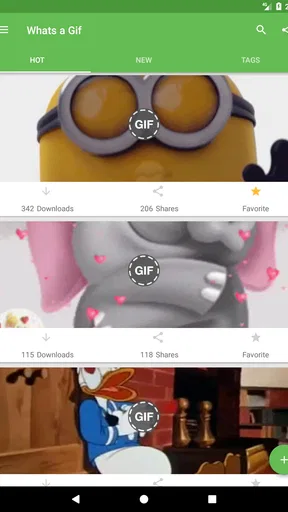
The sharing option is convenient when I want to pass a GIF into another app or send it to someone who is not part of the original conversation. Saving is more useful when I have found a reaction I expect to reuse. I would not treat the app as a full personal media organizer, though. Its main strength is getting me to a usable GIF quickly, not replacing a carefully labeled archive.
This leads to a simple workflow that works well for me: search during the conversation, use the keyboard when speed matters, and save only the reactions that have clear repeat value. Saving everything creates clutter and removes the advantage of quick selection. Keeping a smaller personal set makes the app feel more responsive because I am not repeatedly reconsidering dozens of similar choices.
Where the app fits best
For me, a keyboard tool earns its place through the situations where I actually reach for it, not simply because it offers another way to send images. Here I consider how quick replies, longer browsing sessions, and different messaging habits change the balance between convenience and distraction. That makes it easier to decide whether this is a useful everyday companion or an unnecessary addition to a keyboard setup.
A realistic group-chat moment
Imagine a group chat where a friend announces that they have finally finished a difficult task. I could type a short congratulations, but the conversation is already full of messages and a plain sentence may disappear. I open the GIF keyboard, search for a celebratory reaction, choose one that matches the tone, and send it without leaving the chat. The important part is not that the GIF is more informative than words; it is that the response feels immediate and expressive.
That same workflow works for lighter situations: reacting to an unexpected plot twist, acknowledging an awkward mistake, or answering a teasing message without sounding too serious. The app is at its best when the goal is emotional punctuation. It gives a conversation a visual beat without requiring me to compose a clever sentence every time.
It is also useful for people who communicate across different levels of familiarity. A GIF can soften a brief reply, show that a comment is playful, or make a refusal feel less abrupt. I still have to choose carefully, because visual humor is not automatically clearer than text. The shortcut helps me respond, but judgment remains my responsibility.
When a downloaded file is the better choice
There are cases where I would use a conventional browser or file manager instead. If I need a particular clip for editing, want to compare several versions outside a chat, or need a stable file for a project, a keyboard-centered tool is not the most natural choice. The app is designed around finding and using reactions, not around giving me a production workflow.
The same applies when I need precise control over presentation. A GIF that looks perfect in a search result may feel too large, too repetitive, or poorly timed in a formal post. For work announcements, public-facing content, or anything that needs consistent branding, I would choose a more controlled media source. This app is strongest in personal communication, where speed and tone matter more than exact formatting.
Why it feels different from ordinary emoji keyboards
Emoji keyboards are faster for simple symbols and are usually enough for a quick smile, thumbs-up, or question. GIF Keyboard: What’s a Gif becomes more useful when the reaction needs movement, timing, or a recognizable comic performance. A GIF can express hesitation, exaggerated shock, or mock celebration in a way a single emoji cannot.
That extra expressiveness comes with a cost: choosing a GIF takes more attention than tapping an emoji, and animated content can distract from the actual message. I use the app when the visual reaction adds something specific, not as a replacement for every ordinary response. If I am only acknowledging a message, an emoji is usually the cleaner option.
How it compares with general GIF websites
General GIF websites often offer broader browsing experiences, trend pages, and more ways to inspect content. Their advantage is discovery when I do not know what I want. The keyboard’s advantage is context: I can search at the exact moment I am writing and avoid switching between apps.
Neither approach is universally better. A website is preferable when I want to explore, compare, or find something unusual. This app is preferable when I already know the kind of reaction I need and want to send it with minimal interruption. The distinction is important for deciding whether the app deserves a place in my regular keyboard setup.
Tradeoffs I noticed after regular use
Regular use also means noticing the moments when a shortcut is less smooth than expected. I focus on how I would respond when a search takes longer than the conversation allows, when a GIF does not suit the tone, or when a chat handles animated media differently. Those small recovery choices help keep the tool practical rather than letting a minor snag derail a reply.
Convenience depends on the conversation
The keyboard is most valuable in apps where I frequently chat and where GIFs are accepted naturally. If my daily communication is mostly email, formal work messages, or long-form writing, I would use it much less. The feature can be available and still be unnecessary. Installing a dedicated keyboard makes sense only when the shortcut solves a repeated problem.
There is also a small mental cost in having another way to respond. A search can turn a two-second emoji decision into a longer hunt through several amusing possibilities. I have learned to stop when the first suitable result appears instead of trying to find the theoretically perfect GIF. The app saves time only when I let it remain a quick tool rather than turning every reply into a selection exercise.
Visual humor is not always universal
GIFs depend on context, culture, and personal taste. A reaction that seems harmless to me may feel sarcastic to someone else, particularly in a conversation with a manager, a new acquaintance, or someone who does not share the same references. The app makes animated responses easier to access, but it does not solve the communication problem of choosing the right tone.
I am more cautious with GIFs that contain visible captions or rely on a specific scene. A moving image can be interpreted quickly and incorrectly, especially when the recipient sees it without the surrounding conversation. For important messages, I pair the GIF with a short sentence rather than expecting the animation to carry the entire meaning.
Free access and optional purchases
The free price makes it easy to try without committing money upfront. Optional in-app purchases cost $0.99 per item, so I would pay attention during selection and avoid assuming that every available item follows the same access pattern. For casual use, the free entry point is appealing; for someone who wants a completely uniform, purchase-free experience, the presence of optional items may be a minor annoyance.
I would also avoid judging the app solely by the number of available reactions. Variety matters less than whether the search results match the kinds of conversations I actually have. A smaller set that is easy to reach can be more useful than a massive catalog that takes too long to navigate. That is why I see the keyboard-and-search combination as the real product, rather than the raw size of the collection.
Version and device considerations
The current version is 3.0.2, and it supports devices running Android 7.0 or newer. That makes the app accessible to many Android users, including people who are not using the newest phone. Before installing, I would still check that my device’s keyboard settings allow the experience I want and that the messaging apps I use handle GIF sharing properly.
This is not a reason to reject the app, but it is a sensible part of setup. A keyboard tool lives between the app, the operating system, and the messaging service. If the keyboard is not selected or if a particular chat does not display animated media as expected, the search feature may appear less useful than it really is. Taking a moment to configure it properly can make the difference between a smooth shortcut and an unused installation.
Privacy and attention should be considered
Any keyboard deserves more thought than an ordinary standalone viewer because it sits close to text entry. I would install it only if I am comfortable using a dedicated GIF keyboard and would avoid typing sensitive information through it. For everyday casual chats, the convenience is attractive, but I would switch to a keyboard I trust for private details such as passwords, banking information, or confidential work content.
Animated media can also become distracting. If I am trying to focus, a stream of funny reactions encourages browsing rather than finishing the conversation. My best habit is to search with a clear purpose, choose one result, and return to the message. Used that way, the feature supports communication instead of taking over the interaction.
Who will get the most from it?
The final question is not whether everyone should use a GIF keyboard, but whether its particular mix of search and in-chat access matches someone’s habits. I weigh frequent casual messaging against minimal-keyboard preferences, formal communication, and the desire to browse or manage media more deliberately. That should leave a clear sense of who is likely to benefit and who may be happier with a simpler option.
Good fit for expressive chat users
I would recommend this app to someone who sends frequent casual messages and often thinks, “There must be a GIF for that.” It is particularly suitable for group chats, friendly conversations, and people who like visual humor but do not want to leave the current app every time they need a reaction. The keyboard format is the reason to choose it over a simple GIF gallery.
It can also help people who struggle to make short text replies sound warm or playful. A carefully chosen animation can add tone when a sentence feels too dry. I would still use words when the subject is serious, but for everyday banter the app provides a quick way to make a message feel more personal.
Who should skip it
I would skip it if I rarely use GIFs, prefer a minimal keyboard, or mainly communicate in formal settings. I would also choose another option if my priority is advanced media organization, precise editing, or a broad research-style browsing experience. Those needs go beyond what this focused comics app is trying to do.
People who dislike animated content may find the whole concept unnecessary, even if the search works well. An emoji keyboard will be simpler for them, and a normal browser may be better for occasional GIF searches. The app earns its place through repeated use, not through being installed “just in case.”
My practical recommendation
After using it as a quick reaction tool, I see GIF Keyboard: What’s a Gif as a useful specialist rather than an all-purpose media app. Its best capability is not merely showing funny animations; it is placing search close to the moment when I want to communicate. That reduces interruptions and makes expressive replies feel natural.
My advice is to try it if your conversations regularly include jokes, reactions, and animated responses. Start with a few searches based on moods you actually use, save only the most reusable discoveries, and keep ordinary emoji available for simple replies. If that workflow feels faster than switching to a browser, the app is doing exactly what I need.
OSmart Apps has kept the concept focused, and the free entry point makes experimentation easy. I would not recommend it as a replacement for a full GIF archive or a professional media tool, but for everyday chats it offers a clear convenience that I notice repeatedly. If your goal is to find the right reaction while the conversation is still moving, this is where the app makes its strongest case.
Verdict
Strengths of GIF Keyboard: What’s a Gif
- Quickly search and share GIFs from the keyboard.
- Works directly inside many messaging and social apps.
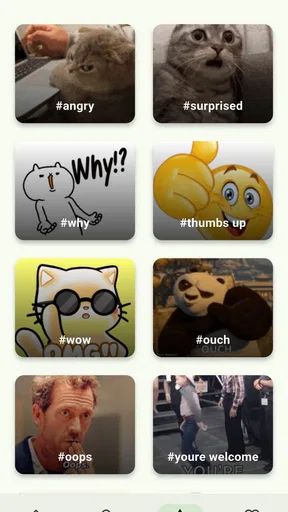
- Offers reactions and expressive GIF categories.
- Saves time by avoiding repeated app switching.
- Simple interface that is easy for most users to learn.
Limitations of GIF Keyboard: What’s a Gif
- GIF loading can depend heavily on your internet connection.
- Some GIFs may be unsuitable for younger users.
- The keyboard may require broad access permissions to function.
- Frequent GIF use can consume mobile data and storage.
- Search results may vary in quality and relevance.
Similar Picks in This Category
View All
WEBTOON: Manga, Comics, Manhwa
NAVER WEBTOON4.6

MangaToon: Comic & Manga
MangaToon4.3

네이버 웹툰 - Naver Webtoon
NAVER WEBTOON4.3

Tapas – Comics and Novels
Tapas Entertainment Inc.4.2

Lezhin Comics - Daily Releases
LEZHIN ENTERTAINMENT3.3

WebComics - Webtoon & Manga
WEBCOMICS HOLDINGS HK LIMITED4.4
Frequently Asked Questions
What is GIF Keyboard: What’s a Gif, and how does it work?
GIF Keyboard: What’s a Gif is a keyboard and GIF-search app designed to help you find and share animated images while messaging. After installing it, you can browse GIF categories, search for reactions or topics, and copy or send selected animations through compatible apps. Its usefulness depends on keyboard permissions, device settings, and support from the messaging application you use.
Does GIF Keyboard: What’s a Gif require full access to my keyboard?
The app may request keyboard access or permission to function as an additional keyboard, depending on its features and your operating system. Before enabling it, review the permission explanation carefully. Keyboard applications can potentially process typed information, so avoid granting access unless you understand the developer’s privacy policy and feel comfortable using the app for messages and other text entry.
Can I use GIF Keyboard: What’s a Gif with WhatsApp, Messenger, and other apps?
The keyboard is intended for use with messaging and social applications that accept GIFs, stickers, or copied media, but compatibility can vary. Some apps allow direct insertion from a keyboard, while others may require copying the GIF or opening a share menu first. Results may also differ between Android and iOS because each platform handles third-party keyboards differently.
Is GIF Keyboard: What’s a Gif free to download and use?
GIF Keyboard: What’s a Gif may be available as a free download, although the exact pricing model can depend on the platform, region, and current store listing. Free versions can include advertising, optional purchases, or limits on certain features. Check the official Google Play or App Store page before downloading to confirm costs, subscriptions, and any in-app purchase conditions.
What should I check before downloading GIF Keyboard: What’s a Gif?
Before installing, check the app’s recent ratings, update history, required permissions, privacy information, supported operating-system versions, and available storage. You should also confirm whether the keyboard supports your preferred languages and messaging apps. If you are concerned about privacy, consider using the app only for GIF searching and sharing rather than enabling it as your default keyboard.
